Aged Telegram Accounts and Team Handover
Learn what an aged Telegram account means and how to check sign-in, active sessions, restrictions, and chat history before your team takes over.

An aged Telegram account is an informal term for an older account with a history of use. For an authorized work account handover, verify ownership, sign-in, active sessions, and messaging status. Telegram prohibits spam.
What is an aged Telegram account?
Use dated registration or handover records to verify claims such as “six months old” or “one year old.” Record the account’s signup date separately from the age of its linked phone number.
What happens when you change the linked number?
In Telegram, open Settings, tap the linked phone number, and choose Change Number. The existing account keeps its contacts, cloud chats, and cloud media. Secret Chats remain available on the devices that already hold them.
What happens when you register again after deleting the account?
Signing up again with the same number creates a new Telegram account. The new account starts without the previous account’s chat history, contacts, or group memberships.
How to read Telegram account labels
Label | What it describes | What to verify | Priority |
New or aged account | Signup date or history of use | Dated registration or handover records | Medium |
Session or protocol account | A third-party term for an account supplied with an existing login session | Which account the session opens and who controls access | High |
Premium account | Subscription status | Whether Telegram Premium is active | Low |
Restricted account | A current platform restriction | Affected actions, app notices, and @SpamBot for spam limits | High |
Check Telegram account restrictions
Telegram’s Spam FAQ says an account limited for spam may still reply to people who message it first and send messages to contacts who have saved its number. Test inbound support by having a teammate send a message and confirm the reply. If the job also requires starting conversations, test that separately with a teammate expecting the message and note whether they have saved the support number.
Premium subscribers remain subject to Telegram’s spam rules. If a spam restriction appears to be a mistake, follow Telegram’s guidance to appeal through @SpamBot.
Verify ownership and revoke old sessions
Treat a Telegram Session file or string as a sign-in credential. Anyone holding a usable copy may retain access. The option to terminate all other sessions keeps the session you are using active. Run the cleanup from a session your authorized team set up independently.
Confirm sign-in and recovery control. Check the linked number, two-step verification password, and recovery email if configured. Make sure the authorized team can manage them.
Establish a team-controlled session. Sign in on an approved device and confirm your team can access the account independently.
Revoke old access and check again. Open Settings > Devices or Privacy and Security > Active Sessions. Revoke sessions from before the handover and any unrecognized sessions, then review the device list again.
Allow for Telegram’s session revocation limit. A newly signed-in session may be unable to log out other sessions during its first 24 hours. If you see this notice, mark cleanup as pending. Revoke the old sessions when Telegram allows it, then review the device list again.
Example of a support account handover
A cross-border support team is taking over a two-year-old work account from a departing agent. The account still uses the agent’s personal number. After confirming authorization and recovery access, the team changes the number to one it controls, signs in on a managed device, and revokes the old sessions once Telegram permits it. A teammate sends a test support request to verify that the new agent can receive and reply.
Review any open work in Secret Chats with the authorized account holder before logging out of the original device. The new device syncs cloud chats, while Secret Chats stay on the devices where they began. Signing out clears Secret Chats on that device.
Telegram account handover checklist
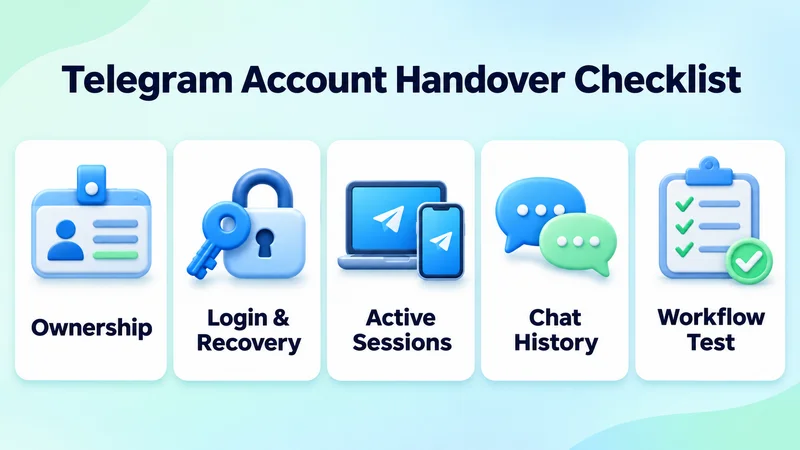
Record who completed each check and the outcome.
Check | What to confirm |
Ownership | Record the authorized owner and a team-controlled number. |
Login and recovery | Verify access to the number, two-step verification, and recovery email if set. |
Active sessions | Confirm team sign-in, revoke old sessions, and recheck the list. |
Chat history | Review open Secret Chats on the original device before logging out. |
Workflow test | Test inbound messages and replies. Check group or channel permissions as needed. |
Manage handed-over accounts with GeekGram
Use GeekGram’s multi-account chat workspace to assign authorized accounts to agents. Pilot assignments, replies, and shift changes with one support account.
New users can check current terms and availability on the GeekGram 3-day trial offer with 200 account slots.
Frequently asked questions
Are aged Telegram accounts more stable?
Use the current messaging status to assess readiness. Test replies and new conversations separately.
Does reusing a phone number restore the previous account?
After deletion, a new signup with the same number creates a separate Telegram account.
Can we use an account immediately if it comes with a session?
First confirm independent sign-in and recovery access. Revoke old sessions from a device your team controls.
Does Telegram Premium lift spam restrictions?
Premium subscribers remain subject to spam enforcement. Use @SpamBot if you think a spam limit was applied in error.
Originally published by Geekgram. Please credit the source when reposting.