How to Find Telegram Groups and Channels
Learn how to find Telegram groups and channels in the app and on Google, verify public links, handle private invites, and choose communities worth following.

To find Telegram groups and channels, open search from your chat list and enter a name, a topic, or the exact @username. If you need more results, look for an official t.me link or search Google with site:t.me and a topic. To join a private group or channel, ask someone with permission to invite you.
Telegram group search in the app
Open search from your chat list. On iPhone, swipe down on the chat list if the search field is hidden.
Search for a name, username, or topic. Enter the full
@usernameif you know it. If you only know the topic, start with the industry and market, such asUK ecommerce, then add a term likereturnsif the results are too broad.Check the group profile before joining. Look at the description, member count, and any recent messages you can see. If several groups share a name, compare the full username with the link published by the organization or community organizer.
How to search for channels in Telegram
Enter the channel name or @username in the same search field. Use the Channels filter if your app shows it. A channel profile lists subscribers, and the feed shows updates from its publishers. A group profile lists members, and its chat is where discussions happen.
If you remember a headline or a distinctive phrase, try the Posts tab when it’s available. Open a matching public post and check its source channel.
If you already follow a relevant channel, look for Similar Channels on its profile. Telegram suggests public channels with similar audiences. Check the latest posts to see whether a suggested channel covers your topic and market.

Find Telegram groups with Google or a public directory
Start with the official source if you know the name. Check the organization’s website, help center, event page, or official social profile for its Telegram link. This also works for channels with names that are hard to distinguish in search.
Use Google if you only know the topic. Try
site:t.me "UK ecommerce". Remove the quotation marks if you see too few results, or add a word such asreturnsto narrow your search. Google can surface indexed Telegram pages, and the results cover only part of what’s available.
A Telegram group finder or public directory can help you browse by topic when you have no group names to search for. Use directory listings to build a shortlist, then open each result in Telegram to confirm its username, check recent activity, and read the group rules.
How to choose Telegram communities worth following
Start with one question your team wants to answer. For example, a cross-border ecommerce team might ask what UK sellers struggle with when handling returns. Review the past week of visible activity in each candidate group or channel.
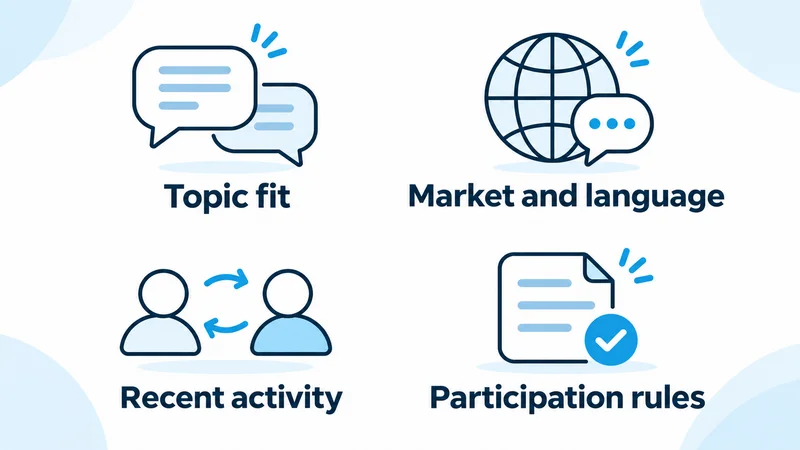
Check | What to look for |
|---|---|
Topic | Specific issues that come up repeatedly, such as local return addresses or refund timelines. |
Market and language | Locations, platforms, services, and languages that match the audience you’re researching. |
Recent activity | Groups where people ask questions and receive replies, or channels that regularly post on your topic. |
Participation rules | Pinned rules that explain whether businesses can answer questions or share resources. |
Suppose several sellers in a UK-focused group ask how to set up a local return address. Compare that question with your support tickets. If customers keep asking about the same issue, add an example to your returns help page.
For each shortlisted community, record the public link, the date you checked it, a recurring question, what the rules allow, and the next action. A teammate can then review the same group or ask an admin how your business can take part.
How teams follow up with GeekGram
Once your team has joined the relevant groups and has permission to participate, GeekGram helps you review the groups linked to your Telegram accounts and organize them by market or use case. You can assign work accounts to support seats and use customer notes and tags to hand off existing conversations.
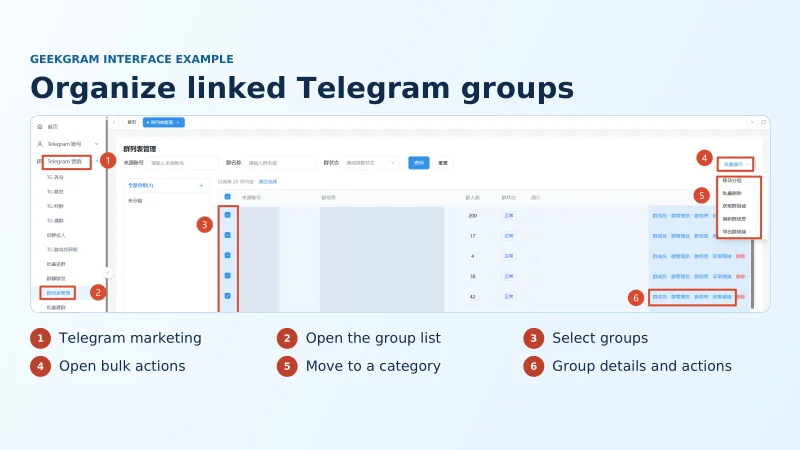
Interface example. Review linked groups and organize them by category.
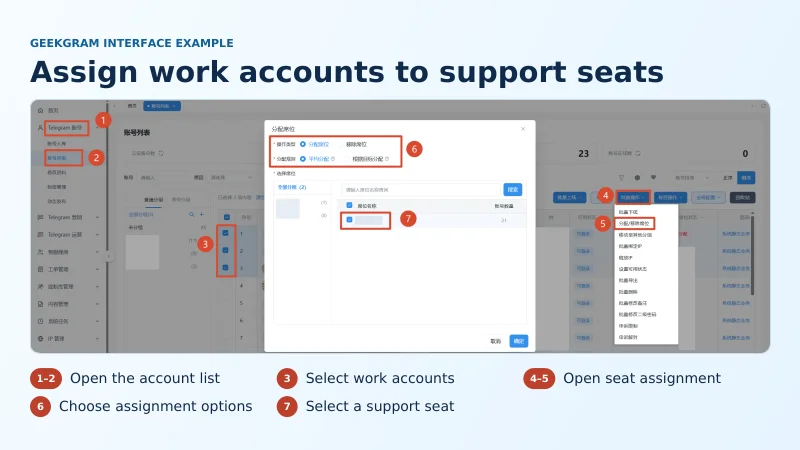
Interface example. Assign selected Telegram accounts to a support seat.
For example, assign the account your UK support team uses to the right seat. When a customer asks about a return, the agent can tag the conversation and leave a note for the next shift.
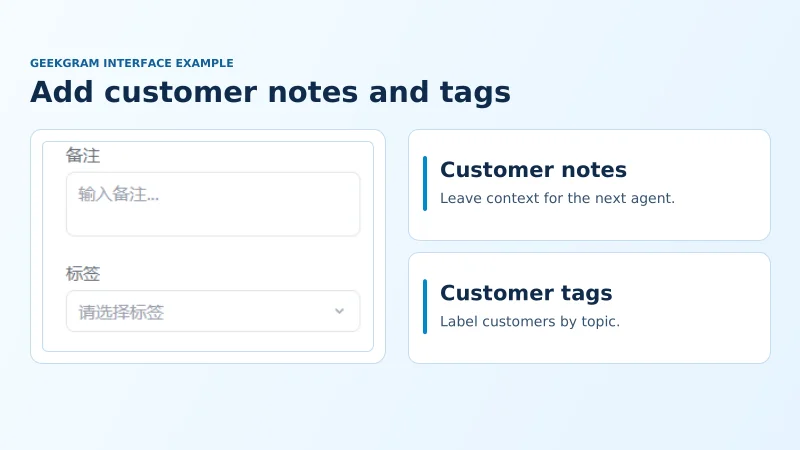
Interface example. Add notes and tags to give teammates context for follow-up.
Frequently asked questions
How to find Telegram groups by topic
Start with a topic in Telegram search, then add a country, language, or specific use case. For instance, try UK ecommerce before narrowing to UK ecommerce returns. A public directory can give you more listings to review.
What if a private Telegram invite link has expired?
Ask the person who invited you for a fresh link. Invite links can expire, reach a usage limit, or be revoked. If Telegram prompts you to request access, send the request and wait for an admin to approve it.
Can a business promote itself in a public Telegram group?
Check the group rules and ask an admin if the policy is unclear. If the rules allow business participation, answer relevant questions under your real identity and get the person’s permission before following up in a direct message.
👉Explore GeekGram for Telegram group and support seat management
Originally published by Geekgram. Please credit the source when reposting.